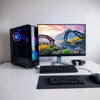
Budget Gaming PC Buying Checklist for Big FPS
, by Amita Choudhary, 10 min reading time
, by Amita Choudhary, 10 min reading time
Updated on: 2026-08-31
If you have been looking at budget gaming PCs, you may be wondering how to get smooth gameplay without overspending. The good news is that smart planning can make a big difference, even when your budget is limited. In this guide, we walk through a practical way to choose parts, understand performance trade-offs, and avoid common purchase mistakes. You will also find simple next steps to set up your new system for everyday gaming.
Contents
Budget gaming PCs are built for one main goal: delivering enjoyable gaming at a lower cost than high-end systems. Instead of trying to match the performance of premium hardware, these PCs focus on the settings and resolutions that matter most for real-world play. Many players prefer 1080p gaming, comfortable frame rates, or steady performance in popular esports and story-driven titles.
To reach that goal, budget builders typically prioritize the most performance-critical parts first, then balance everything else around them. For example, the graphics card and the CPU often influence how smoothly games run, while storage and memory help keep loads fast and gameplay responsive. When the parts are chosen thoughtfully, you can get a system that feels “fast enough” for daily use without paying for features you may never use.

Diagram of balanced components for smooth gameplay
Choosing a system can feel confusing because many specs look similar on paper. A calmer approach is to decide what you play, what settings you prefer, and what upgrades you might want later. Below are practical steps that many shoppers find helpful.
Start with a few questions. Are you mainly playing multiplayer games, single-player RPGs, or both? Do you want high graphics quality, or do you prefer performance-first settings? If you plan to game at 1080p, you can often stretch your budget more effectively than if you focus on higher resolutions.
It also helps to consider your “most demanding” title. Pick the game you expect to run the slowest. Once you know that, you can compare parts with more confidence instead of trying to optimize for everything at once.
In many games, the graphics card does most of the work. That means it is usually the best place to spend when you want better visuals and higher frame rates. If your budget is tight, you may get more enjoyment by choosing a capable GPU first and then fitting the CPU, memory, and storage around it.
While it is tempting to buy the fastest CPU possible, an overbuilt processor paired with a weaker graphics card can limit performance in GPU-heavy games. A balanced build often feels more consistent, especially during busy scenes.
The CPU matters for game logic, physics, and overall system responsiveness. For many budget builds, a mid-range multi-core CPU is a good match. You generally want enough cores and strong single-core performance so the system can keep up during action-heavy gameplay.
If you also stream or multitask, the CPU becomes more important. In that case, you may benefit from a slightly stronger processor and more memory, depending on your habits.
Random access memory (RAM) helps the system handle multiple tasks smoothly. For many gaming experiences, getting an adequate amount of RAM is useful for stable performance and fewer stutters. If you play online games in browser tabs, use Discord, or run background apps, additional RAM can feel noticeably better.
Storage affects load times and how quickly levels and maps appear. A solid-state drive (SSD) is often preferred because it reduces waiting. It can also make the computer feel snappier during everyday tasks like launching games, switching between menus, and resuming applications.
Even if you buy a budget system today, you may want to improve it later. When possible, choose a motherboard with room for future memory and a case that supports your preferred airflow layout. Also check the power supply unit (PSU) so it can safely support the graphics card and CPU under typical load.
It is also wise to plan for cooling. Quiet and reliable cooling can improve long-term comfort and help maintain stable performance during long gaming sessions.
Cooling is often underestimated in budget shopping. A system that runs hot may reduce performance over time and can feel noisy. When you review a build, pay attention to the number of case fans, the general airflow path, and whether the cooling solution is appropriate for your CPU class.
If you are comparing pre-built options, check if the cooling is described clearly. For custom builds, plan the fan placement so intake and exhaust work together.
Sometimes the “cheap” price is missing essentials. Examples include a monitor, keyboard, mouse, headset, and a stable internet connection for online play. If you already own these items, great. If not, account for them early so your budget gaming PC remains a good value overall.
It can also help to check warranty coverage and return options. If something does not work as expected, having a clear process can make the whole experience less stressful.
Budget choices are not only about saving money. When done thoughtfully, they can also make gaming feel more enjoyable and more sustainable over time.
If you are also thinking about your home entertainment experience, it may help to pair your gaming setup with an enjoyable display. You can explore options on the site’s entertainment selection, such as this guide on upgrading your home entertainment experience, to see how screen choices can impact how games feel.

Split-screen concept: FPS boost vs quieter cooling
Finding a great budget gaming PCs option is often less about chasing the biggest number and more about building a balanced system for your specific games. Begin with your game goals, prioritize the graphics card, choose a CPU that complements it, and make sure RAM and storage match your everyday routine. Then, do a quick check for cooling, power, and upgradability so your system stays comfortable and useful over time.
As next steps, you can list the titles you play most, note the resolution you prefer, and decide whether you want a performance-focused or quality-focused setup. From there, compare build options with a checklist that keeps your spending aligned to the results you actually care about.
If you would like to keep browsing, you may find it helpful to explore the broader electronics selection on the site, then narrow down based on your needs. For instance, you can look through laptops and computers to get a sense of available configurations and pricing ranges. And if you want guidance for a better home setup beyond the PC itself, you can also consider how your display and audio environment affect game immersion.
Disclaimer: This article is for general guidance only. System performance can vary based on game updates, in-game settings, drivers, background applications, and hardware configuration. Please review manufacturer specifications and follow official setup instructions for your selected components and accessories.
They often are, especially when the graphics card and memory are chosen with care. Many budget builds target 1080p resolutions and performance-friendly settings, which can deliver a smooth, satisfying experience for popular games. If you are aiming for very high graphics quality, you can still adjust settings to maintain comfort and consistency.
Look for a balanced build where the graphics card is strong enough for your chosen games, and the CPU is capable of handling typical gameplay demands. It also helps to ensure you have adequate RAM and an SSD for responsive loading. Since performance depends on settings, consider matching the build to the resolution and quality levels you plan to use.
Both approaches can work. Buying now can get you gaming sooner, while upgrading later can help you spread costs over time. If you think you will improve components in the future, prioritize a motherboard with sensible expansion support, a power supply that can handle upgrades, and a case with good airflow.


At Ysvara Lifestyle, we help people make smarter shopping choices by curating the best, most reliable products from trusted brands across electronics, home appliances, fashion, and everyday essentials. We spend hours comparing real-world performance, customer feedback, and value-for-money so you don’t have to. Every recommendation is based on usefulness, durability, and honest insights — not just hype. Our mission is simple: to make online shopping effortless, transparent, and truly helpful. Explore better choices, discover hidden deals, and buy with confidence. ✨


