Compact Smart Alarm Clock Features: What to Check
, by Amita Choudhary, 13 min reading time
, by Amita Choudhary, 13 min reading time
Updated on: 2026-09-03
If mornings often feel rushed, a compact smart alarm clock can help you build a calmer routine.
With clear display visibility, simple controls, and dependable wake-up alerts, it’s easier to stay consistent—especially when your schedule changes.
This guide walks you through everyday setup and gives practical use cases for bedrooms, offices, and shared spaces.
You’ll also find buyer-focused tips, real-world expectations, and quick answers to common questions.
Why a compact smart alarm clock fits modern routines
How to set up a compact smart alarm clock in minutes
Use cases: where it performs best
What to look for before you buy
Customer feedback and what people love
Quick troubleshooting and best practices
FAQ
A good wake-up moment should feel clear, not chaotic. When your phone hides notifications behind lock screens, or when chargers and cords are always in the wrong place, mornings can spiral before they begin. A Compact smart alarm clock is designed to keep things simple: one device, easy visibility, and a focused alarm experience that helps you start on time.
Because it’s compact, it can sit naturally on your nightstand without taking over your space. Because it’s smart, it supports a more organized daily flow—ideal for people who want fewer steps between “I’m awake” and “I’m moving.” And because it’s an alarm first, it helps you avoid the distraction-heavy approach that often comes with using a phone as your only alarm.
Many buyers choose a compact smart alarm clock for specific moments in real life:
One reason it stands out is the user experience. Instead of hunting through apps, you rely on straightforward controls. The display keeps key information readable, even when you wake up before full attention kicks in. That small advantage can reduce stress and help you feel more in control from the first minute.

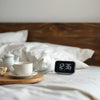
Nightstand layout with clear wake-up cues
The goal is a smooth setup that you can repeat. When your alarm is ready before you need it, you gain peace of mind. Use these steps to set up your Compact smart alarm clock so it becomes part of your routine rather than a weekend project.
Keep the clock at arm’s length from your bed or seat. If it’s too far, you may hit snooze accidentally or miss the alert. If it’s too close, reflections or glare can make the display hard to read. Choose a spot that is steady, safe, and easy to access.
After powering on, check that the display is visible from your usual position. If there are brightness levels, choose a setting that is comfortable during the night and not distracting during the day.
Most alarm clocks support multiple alarm settings. Create one primary wake time for weekdays and one for weekends if needed. If your model offers snooze or alarm persistence, decide how you want the alert to behave when you’re not ready.
Don’t wait until the busiest day. Try a short test period (for example, on a morning when you can adjust easily). The point is to confirm the alarm sound, volume feel, and visibility from your preferred spot.
Once it’s set, you’re building momentum. Use the same placement, keep the display brightness steady, and update alarm times only when your schedule changes.
If you also want your mornings to feel smoother, pairing your wake-up routine with smart home habits can help. For example, a fast, reliable kitchen routine supports the same “less friction” idea. If you like that approach, you may also enjoy learning about boiling workflows with an electric kettle for faster mornings.
A compact smart alarm clock works across different lifestyles. The best choice depends on how you wake up, how you study or work, and how your space is arranged. Here are popular scenarios that match the way buyers use these clocks.
Many people keep the alarm facing them, so they don’t need to roll, stretch, or look for the time. That reduces morning friction. It’s also helpful for couples who have different wake-up needs—each person can rely on a dedicated device instead of arguing over phone settings.
When you work from home or study at a desk, time control matters. A compact alarm clock can act as a focused reminder for breaks, training sessions, or “start now” moments. It’s a practical alternative to setting alarms on a phone that also brings distractions.
Guest rooms need usability. A simple alarm clock helps visitors wake without confusion. In shared spaces, it supports better coordination because everyone can set a clear alert without depending on one phone.
Parents often manage multiple responsibilities, from getting ready to helping with routines. A compact smart alarm clock can become a reliable anchor for morning timing, especially when you want less time spent searching for the right setting.
Not every compact alarm device fits every home. Use this checklist to pick the right feature set for your needs. The best part is that you don’t have to overthink it—choose based on how you actually wake up.
Look for a clear screen that stays readable at night. If the brightness can be adjusted, it helps you avoid harsh light in the dark. Some buyers prefer softer displays that don’t feel intrusive.
When you’re half asleep, you need buttons that make sense. Choose a clock with intuitive setup so you can set alarms without opening menus or learning complex steps.
Choose an alarm behavior that’s audible but not overwhelming. Many buyers prefer a wake-up tone that cuts through sleep without feeling aggressive. If your unit offers sound levels, test what feels right for your room.
A compact footprint helps it fit on nightstands, shelves, and desk corners. If your surface is small, prioritize footprint and cable management needs.
Check your power setup and make sure it suits your room. Consistency matters more than flashy features when you’re counting on the alarm every day.
If you’re also upgrading your sleep-and-living setup, consider how sound and viewing quality affect your evenings. For example, many households enjoy a smoother night routine with a television that supports clear visuals and smart features. You can explore options through best TVs under 2000 for at-home cinema when you’re planning a more comfortable living space.

Checklist icons for display, controls, and alarm comfort
Buyers often describe a few consistent benefits when they switch to a dedicated alarm clock. Below are representative themes that show up in feedback—focused on daily comfort, setup ease, and reliability.
Why does that matter? Because small daily improvements compound. When mornings feel less stressful, you often start work, school, or personal plans with better focus. That’s the real product value: a daily tool that supports your momentum.
Ready to make that switch? If you want a dedicated wake-up solution that fits your space, consider adding the Compact smart alarm clock to your routine today.
Even reliable devices can need a few adjustments based on your room setup. Here are practical fixes that keep your alarm dependable.
Check three things first: volume level, alarm time accuracy, and placement. If you sleep with sound-sensitive preferences, make sure your alarm level matches your comfort. Also verify that the alarm is enabled, especially if your clock supports multiple alarms.
If the clock has brightness control, lower it. If it doesn’t, reposition the clock slightly so the light doesn’t bounce directly into your eyes. Soft placement changes can make a big difference.
If your controls feel harder to press at night, use your morning routine as a calibration point: set the alarm when fully awake once, then confirm that the settings are saved. Better familiarity usually fixes the issue quickly.
Some people accidentally hit snooze due to reach and arm movement. Try shifting the clock a few centimeters so the snooze area isn’t the first point your hand touches.
Choose your wake time, decide your snooze style, and keep your brightness setting stable. Then treat the clock as a consistent cue rather than a changing task.
For many people, yes. A dedicated alarm clock usually offers a clearer display, simpler controls, and fewer distractions. It also helps you avoid notifications that can pull you into apps the moment you wake up.
Most compact smart alarm clocks support multiple alarm settings. You can set a weekday wake time and a separate weekend wake time, then adjust only when your schedule shifts.
Start by lowering the brightness if your model offers brightness levels. If it still feels intense, reposition it slightly so the light doesn’t reflect directly toward your face.
Place the clock so you can see the display from your normal sleeping position without stretching. Keep it on a stable surface and confirm visibility during a calm test morning before relying on it fully.
Disclaimer: Product features and user experiences may vary by model and settings. This article is for general guidance and shopping support and does not replace the instructions provided with your specific device.


At Ysvara Lifestyle, we help people make smarter shopping choices by curating the best, most reliable products from trusted brands across electronics, home appliances, fashion, and everyday essentials. We spend hours comparing real-world performance, customer feedback, and value-for-money so you don’t have to. Every recommendation is based on usefulness, durability, and honest insights — not just hype. Our mission is simple: to make online shopping effortless, transparent, and truly helpful. Explore better choices, discover hidden deals, and buy with confidence. ✨


