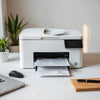
Brother DCP-L2541DW Auto Duplex Laser Printing Guide
, by Amita Choudhary, 13 min reading time
, by Amita Choudhary, 13 min reading time
Updated on: 2026-08-30
If you need crisp laser output for home or office, the right multifunction printer can save time and simplify daily tasks.
This guide explains why the Brother DCP-L2541DW Auto Duplex Laser Printer stands out for fast printing, copying, and scanning in one device.
You will also learn practical setup ideas, everyday use cases, and what features matter most when you print on a regular basis.
Finally, you will find clear buying advice, customer-style testimonials, and a direct call to action to get started.
Choosing a printer is not just about price. It is about how smoothly your work moves from idea to paper. If you often print documents, share scans, or copy forms, the Brother DCP-L2541DW Auto Duplex Laser Printer can help you avoid common frustrations like slow output, manual page flipping, and repeated setup hassles.
This is a laser multifunction device designed for everyday efficiency. With auto duplex printing, you can print on both sides without doing extra steps. That means fewer sheets used and faster document handling. Add scanning and copying functions, and you get a single machine for tasks that usually require separate gear.
Most people want three things: reliable print quality, quick daily turnaround, and easy connectivity. This model supports wireless and wired options, plus USB. You can connect it to a laptop, a desktop, or mobile users depending on your workflow.
In short, if you want consistent results and less time managing your printer, this printer is built for that goal.
When I set up my first multifunction laser printer, I expected the usual learning curve. But on day one, the biggest “small win” was how much time I saved on two-sided pages. I printed a set of documents for a meeting and did not have to pause to flip sheets. That one change made the whole process feel smoother.
Then scanning multiple pages became effortless. Instead of working page by page, I could load the stack and let the feeder do the repetitive steps. The result was not just convenience. It also reduced the chance of missed pages, which is a real headache when you are preparing something important.
That experience is why I always recommend getting a printer that handles duplex printing and multi-page tasks well, especially if you print often.
The Brother DCP-L2541DW Auto Duplex Laser Printer is a multifunction laser printer that focuses on practical needs. It delivers strong speed for day-to-day documents, supports automatic duplex output, and includes scanning and copying so you can manage work from one place.

Here are the standout highlights that matter in real life:
If you are comparing printers, do not only look at “can it print.” Look at how quickly it turns routine tasks into easy processes. This model targets exactly that.

Duplex pages flipping symbol, scan stack, fast speed icons
One printer rarely fits every person’s needs, but the right multifunction laser can cover many common scenarios. Below are practical examples of how you might use the Brother DCP-L2541DW Auto Duplex Laser Printer to keep your day on track.
For daily paperwork, you want consistent output and minimal effort. Auto duplex printing helps when you print long forms or multi-page letters. Laser output is also a good choice when you print documents that need crisp text.
If you print notes, assignments, or study guides, speed and duplex convenience matter. When you need to scan or copy multiple pages, the automatic document feeder supports a smoother workflow that feels less repetitive.
In a small office, people share resources. A multifunction printer reduces clutter and cuts down on “who has the scanning device” problems. With Wi-Fi and LAN options, you can place the printer where it is convenient and still keep access reliable.
Reports often require structured pages and two-sided formatting. Using duplex printing can help your documents look more professional with less paper handling. When work involves frequent copying and scanning, having all functions in one machine helps reduce delays.
To support other home-office productivity decisions, you may also find these guides helpful: how to choose a home air purifier and tips for efficient cooling at home.
Many printers can print one page at a time, but most frustration comes from what happens between pages. The Brother DCP-L2541DW Auto Duplex Laser Printer is positioned for the tasks that usually cause delays.
When printing two-sided documents, manual flipping is slow and error-prone. Auto duplex printing helps you keep the workflow moving and reduces the chance of printing on the wrong side.
Whether you scan receipts, copy documents for records, or create quick copies of multi-page paperwork, multifunction features reduce the need for separate devices.
Using the automatic document feeder matters most when you work with document sets. It supports a faster path from “stack of pages” to “ready scan” or “complete copy.”
Wi-Fi is great for flexibility. Wi-Fi Direct can simplify direct connections. LAN can be useful for stable access in office environments. USB remains a practical fallback if you want a simple, direct link to a device.
Put together, these features help you spend more time on your work and less time handling printer settings.

Checklist visuals for duplex, feeder, Wi-Fi, copy buttons
Below are realistic, customer-style impressions based on the kinds of feedback people commonly share when they switch to a duplex-capable laser multifunction printer. While individual experiences vary, these statements reflect the benefits that users typically care about.
If you want a printer that supports real-world documents, not just occasional printing, this is a strong fit.
The Brother DCP-L2541DW Auto Duplex Laser Printer is built for everyday productivity. With auto duplex printing, multifunction print-scan-copy support, and an automatic document feeder, it tackles the tasks that usually slow people down. Add fast print speed, flexible connectivity, and practical features like 2 in 1 ID copy, and you get a printer that can support home, study, and small office needs.
Here are the main takeaways:
If you are ready to improve your document workflow, the next step is simple: shop the Brother DCP-L2541DW Auto Duplex Laser Printer and make daily printing easier.
Yes. It is designed for everyday documents such as reports, forms, and multi-page tasks. The multifunction design supports printing, scanning, and copying, which works well for home needs and small office workflows.
Auto duplex printing helps you print on both sides of the paper without manually flipping pages. This saves time, reduces the chance of printing mistakes, and supports a cleaner workflow for two-sided documents.
Yes. The automatic document feeder supports scanning or copying multi-page documents with less manual handling. This is especially useful when you have stacks to process regularly.
The printer supports Wi-Fi, Wi-Fi Direct, LAN, and USB. You can select the connection that fits your setup, whether you want wireless access or a direct wired option.
Disclaimer: Product features and performance can vary by configuration, paper type, and operating environment. Please refer to the official product documentation and specifications available from the seller for the most accurate details.


At Ysvara Lifestyle, we help people make smarter shopping choices by curating the best, most reliable products from trusted brands across electronics, home appliances, fashion, and everyday essentials. We spend hours comparing real-world performance, customer feedback, and value-for-money so you don’t have to. Every recommendation is based on usefulness, durability, and honest insights — not just hype. Our mission is simple: to make online shopping effortless, transparent, and truly helpful. Explore better choices, discover hidden deals, and buy with confidence. ✨


