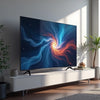
Best 65 Inch TV Picks Under 2000 Samsung Bravia LG OLED
, by Amita Choudhary, 11 min reading time
, by Amita Choudhary, 11 min reading time
Updated on: 2025-12-07
You want a big-screen upgrade that looks premium, feels effortless, and fits the budget. Whether you are eyeing a Samsung 65 inch TV, exploring a Sony Bravia TV for fast action, or considering the cinematic blacks of an LG TV OLED, this guide will help you decide. If you are searching for TVs under 2000, you will learn how to match features to your room, routine, and taste—so every stream, match, and game looks remarkable.
Start with the experience you want. For bright rooms and sports, a 65-inch Samsung with high brightness and strong upscaling delivers punchy highlights and sharp motion. For console players and film lovers, a Bravia set offers crisp motion handling and color accuracy tuned for realism. If your priority is deep blacks and a theater-like image, an OLED panel from LG produces stunning contrast with precise pixel-level control.
Shoppers often weigh size and seating first. A 65-inch class screen hits the sweet spot for most living rooms, with a comfortable viewing distance of about 2.5–3 meters for 4K content. Next, think connectivity. HDMI 2.1 ports, ALLM, and variable refresh help gamers enjoy low lag and smooth frames. Smart platforms matter too: seamless voice control, fast app launches, and reliable updates keep your TV feeling fresh.
Need a side-by-side overview of big-screen Samsung options? See this helpful comparison: Samsung 65-inch guide. Want to browse new arrivals and deals across brands? Explore Televisions. Considering a high-value large-screen Bravia? Check this 65-inch model: Bravia 65-inch 4K. For a broader overview of what matters in picture quality, tune-ups, and upgrades, read: Best TV upgrades.
What customers say: buyers love quick setup, bright HDR for daytime viewing, and smart platforms that are easy to navigate. Many mention that premium upscaling makes older HD content look more detailed, while game modes keep action fluid.
Tip: After setup, run a short test loop from your favorite app. Try a high-contrast scene, a bright outdoor clip, and a sports highlight. This reveals if you need small tweaks to motion or brightness.
Most living rooms and larger bedrooms are a natural fit. If you sit around 2.5–3 meters from the screen, a 65-inch class TV delivers immersive scale without visible pixels. If you sit closer, consider wall mounting to optimize viewing height and adjust brightness to reduce eye strain.
In bright rooms, a high-brightness LED with strong anti-glare often looks punchier during the day. For cinematic nights and true blacks, an OLED panel from LG shines. Gamers should also check input lag, 120 Hz support, and variable refresh. Many premium sets combine fast gaming features with excellent HDR for both worlds.
Built-in speakers are convenient and fine for casual viewing. For clearer dialogue and more impact, a compact soundbar connected via eARC can transform the experience with minimal setup. If you enjoy action movies or music, adding a subwoofer creates fuller, room-filling sound.
Ready for a big-screen upgrade? Choose the model that matches your space and viewing habits, then enjoy brighter days, deeper blacks at night, and a smarter way to watch.


At Ysvara Lifestyle, we help people make smarter shopping choices by curating the best, most reliable products from trusted brands across electronics, home appliances, fashion, and everyday essentials. We spend hours comparing real-world performance, customer feedback, and value-for-money so you don’t have to. Every recommendation is based on usefulness, durability, and honest insights — not just hype. Our mission is simple: to make online shopping effortless, transparent, and truly helpful. Explore better choices, discover hidden deals, and buy with confidence. ✨
The content in this blog post is intended for general information purposes only. It should not be considered as professional, medical, or legal advice. For specific guidance related to your situation, please consult a qualified professional. The store does not assume responsibility for any decisions made based on this information.


